

OPSCENTER message center: retail messaging
center software
RETAIL MESSAGING CENTER SOFTWARE
OPSCENTER Message Center gives multi-location retailers a secure, targeted way to reach every store, replacing unsecure email and group chats with structured communication and full read compliance tracking.













Email and Group Chats Were Never Built for Retail Communication
Critical updates get buried in inboxes or lost in group chat threads. Store managers become the manual relay, retyping HQ messages for their teams instead of running the floor.
Teams receive updates that have nothing to do with their role or location, adding noise to already busy shifts. HQ has no reliable way to confirm who actually read a message.
Retailers need a communication tool built for their hierarchy, not a general messaging app stretched to cover thousands of stores.
What OPSCENTER Message Center Does for Your Store Network
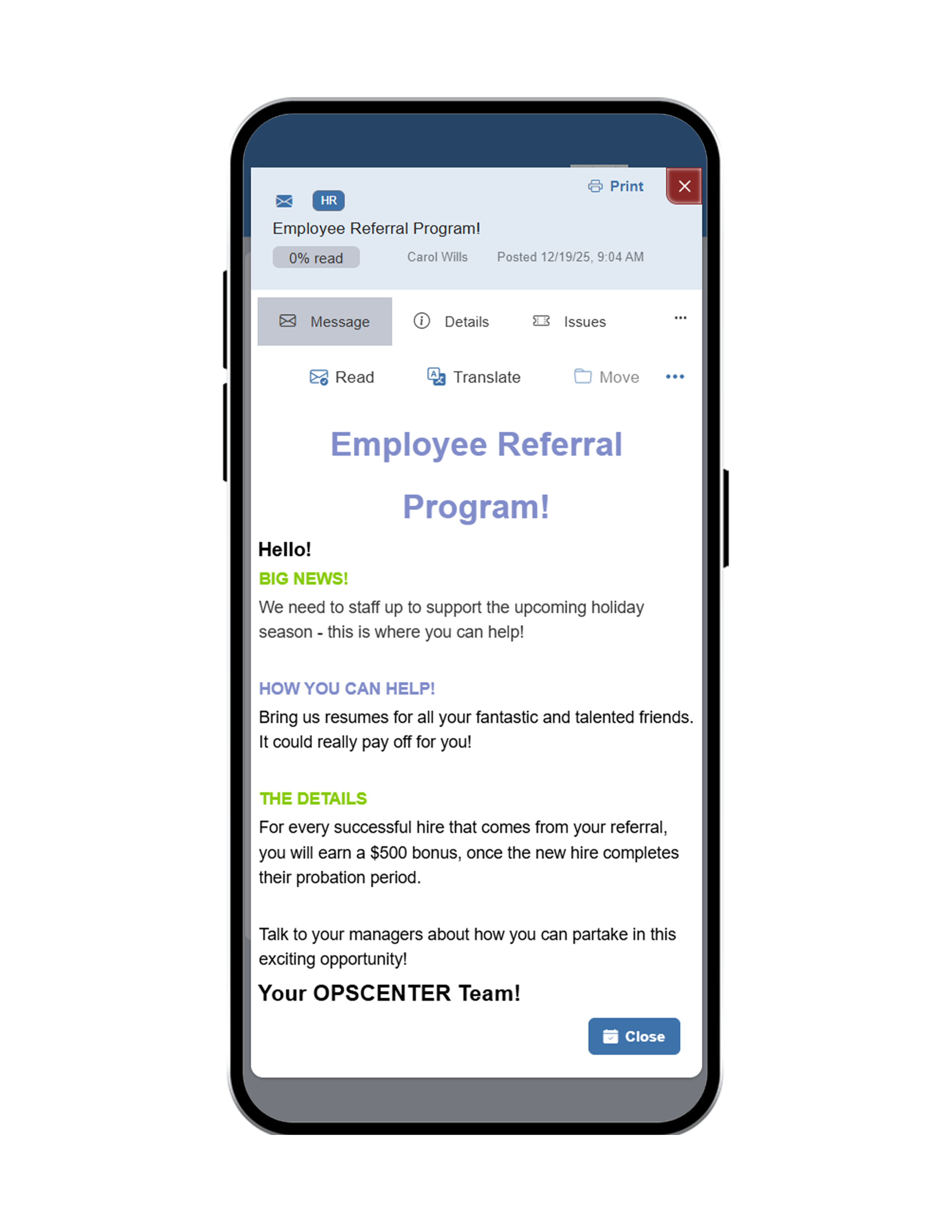
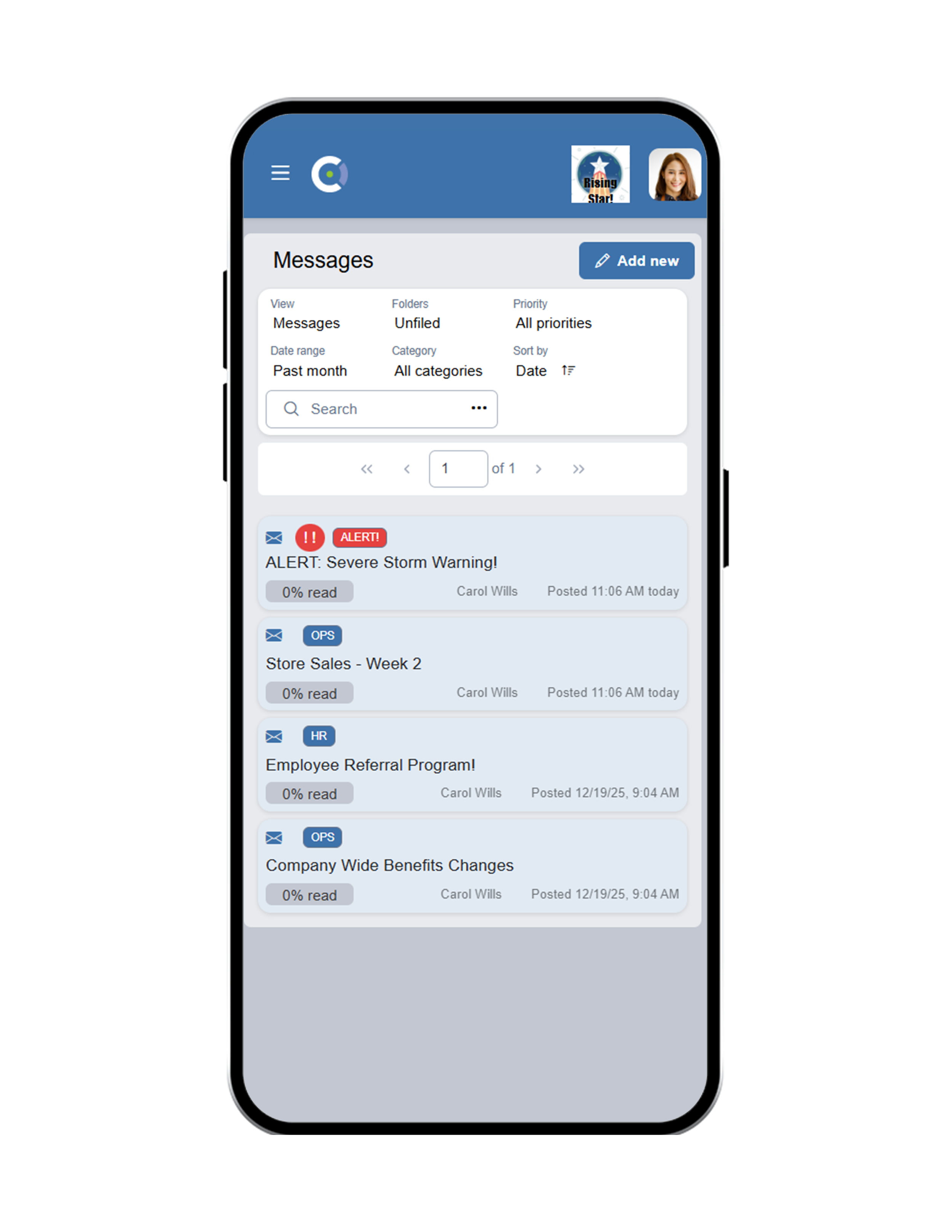
Message Center is a structured corporate communication engine that replaces unsecure email and group chats, giving every employee in the organization access without the licensing costs of traditional email seats.
Role, Tier, and Location Targeting
Send messages precisely by role, tier, or store location, so employees only see what is relevant to them and nothing they can safely ignore.
Learn More →Two-Way Communication
Let store teams reply, ask questions, or flag issues directly within the same thread, instead of routing responses through a separate system.
Learn More →Secure File Attachments
Share documents, images, and other files directly inside a message, keeping supporting materials attached to the update they belong to.
Learn More →Urgent, High-Priority Updates
Flag time-sensitive messages so they demand immediate attention, cutting through the noise when something cannot wait until tomorrow.
Learn More →Mandatory Read Receipts and Compliance Tracking
Know exactly who opened, read, and acknowledged every message. HQ gets definitive proof of compliance instead of guessing whether an update reached the floor.
Learn More →How Retail Messaging Center Software Works Across Your Store Operations
Build the Message
Write the update once, attach any supporting files, and mark it as high priority if it requires immediate action.
Target the Right Audience
Send it to a specific role, tier, or store location, so only the employees who need it ever see it.
Track Reads in Real Time
Monitor exactly who has opened and acknowledged the message as responses come in, with no manual follow-up required.
Confirm Full Compliance
Review completion reports by store, district, or organization to confirm every required employee has read and acknowledged the update.
Built for Every Role Managing Store Communication
HQ & Operations Teams
Send targeted updates by role, tier, or location instead of blasting the entire organization
Get definitive proof of who read and acknowledged every message
Replace email licensing costs with access included for every employee
District & Store Manager
Stop manually relaying HQ messages to their teams
See exactly which associates still need to read an urgent update
Reply directly to HQ without switching to another communication tool
Store Associates
Receive only the messages relevant to their role and location
Reply, ask questions, or flag issues directly within the same thread
Access urgent updates and attachments from one place, on any device
Message Center Works With Every Tool in OPSCENTER
Message Center connects directly with Task Manager so updates can convert into trackable action items without leaving the platform. Use Dashboards to monitor read compliance alongside task completion across the organization. And rely on the Retail Operations Calendar to keep major communications aligned with campaigns, launches, and field visits.
Get to know OPSCENTER | Message Center
Opterus Reviews &Testimonials
What Retail Operations Teams See With Message Center
Frequently Asked Questions About Retail Messaging Center Software
Retail messaging center software gives multi-location retailers a structured way to send targeted communications to stores, replacing email and group chats with role and location-based targeting, read receipts, and compliance tracking.
Message Center targets messages by role, tier, or location so employees only see relevant updates, tracks mandatory read receipts for compliance, and gives every employee access without traditional email licensing costs.
Yes. Message Center supports full two-way communication, letting associates reply, ask questions, or flag issues directly within the same thread HQ used to send the original update.
Yes. Every message includes mandatory read receipts and compliance tracking, giving HQ definitive proof of who opened, read, and acknowledged each communication across every store.
Replace Email and Group Chats With Retail Messaging Center Software That Confirms Every Read
OPSCENTER Message Center gives HQ a targeted, secure way to reach every store, with the read compliance and accountability email and group chats were never built to provide.